

7 AI-Powered Task Management Tools: How to Choose, Key Benefits, and Pitfalls to Avoid
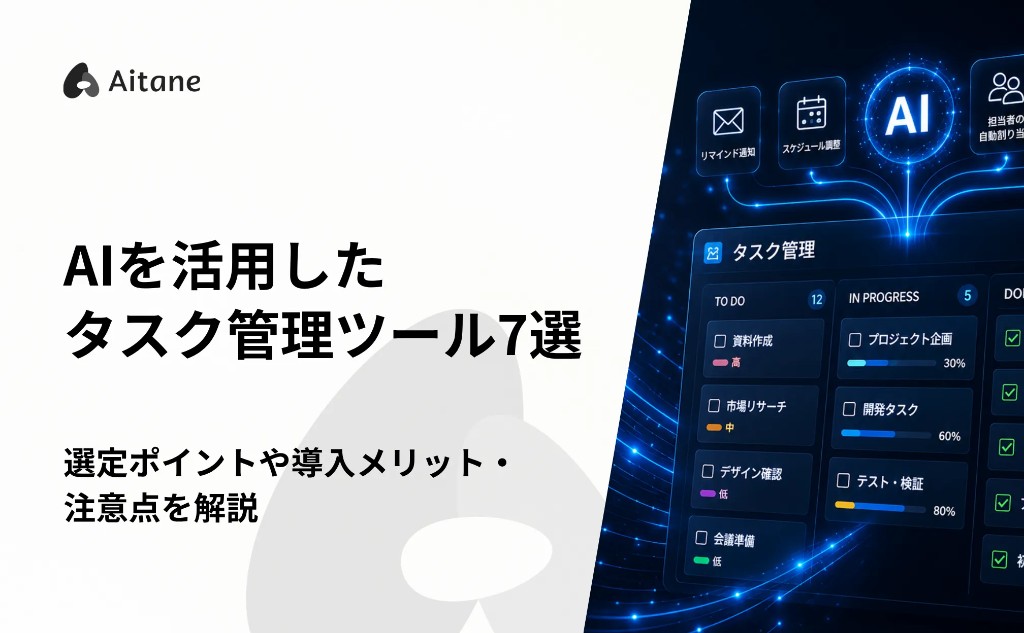
Do you ever find yourself thinking, "Entering tasks is such a chore," or "I can't keep up with tracking progress"? An AI-powered task management tool is an efficient way to solve exactly these kinds of problems. By handing administrative work over to AI, we can focus on the core work that truly deserves our attention. And with operating rules that keep a human in charge of the final check, plus regular maintenance, even first-time users can run these tools with minimal risk. In this article, we walk through the benefits of adopting an AI-powered task management tool, how to choose one without regrets, and the points to watch out for in day-to-day operation.
What Is an AI-Powered Task Management Tool?
An AI-powered task management tool uses artificial intelligence to organize and analyze your tasks and automatically build an optimal schedule tailored to each user. It works like a dedicated assistant that thinks for itself and supports your work. Simply describe the content and goals of a project, and the tool automatically breaks the work down into smaller pieces and prioritizes them. For example, it can turn a task like "prepare a proposal" into concrete to-dos such as "collect data," and it can also automatically extract the next tasks from meeting minutes. It learns each person's working pace and behavior patterns and proposes practical schedules, such as "put heavy tasks in the morning, when it's easiest to concentrate." Because it removes the effort of extracting tasks and juggling schedules, you can concentrate on the core work that directly drives revenue.
Task Management Work That AI Can Automate
The biggest appeal of an AI-powered task management tool is that it reduces the effort of "figuring out how to proceed" and automatically organizes information to the point where you can jump straight into the actual work. Specifically, AI can automate the following kinds of work. Extracting and prioritizing tasks From chats and notes such as "finish the proposal by next week," or from lengthy meeting minutes, the AI identifies the necessary to-dos. It then factors in deadlines, workload, and your working pace to suggest "tasks to focus on today" and "tasks to handle this week." Linking and searching related information and materials The AI automatically finds emails, chat histories, documents, and other materials related to a task and links them to it. That means no more hunting around wondering, "Which chat had that data again?" Even if you've forgotten a file name, a vague search such as "the Company A deal we discussed last month" surfaces the information you need right away. Reminders and progress sharing Beyond reminding you of task deadlines, the AI warns you in advance with alerts like "At the current pace, you're likely to miss the deadline." And because marking your own task as complete automatically shares the update with the whole team, you no longer need to report "I'm done." Generating reports and other documents Based on daily progress and the accumulated list of issues, the AI automatically drafts weekly and monthly reports. By having AI take over these routine, non-core tasks, you can devote more time to higher-value core work.
How AI-Powered Task Management Differs From Traditional Task Management
Traditional task management tools served as a place to record the plans people had already worked out in their heads so they wouldn't forget them; they were tools "used by entering things manually." For every project or goal, you had to think through "what, when, and in what order" entirely on your own, register it, and update progress by hand. An AI-powered task management tool dramatically reduces this "management overhead." Its role is to organize information and get everything ready for immediate execution. Within the task management workflow, people can focus solely on "high-level direction" and "the actual work in front of them." The greatest strength of an AI-powered task management tool is that it frees people from "the work of managing tasks" and creates an environment where they can concentrate solely on the core work they should be doing.
How to Choose an AI-Powered Task Management Tool
There are now many AI-powered task management tools on the market, and each has different strengths and features. If you pick one simply because "AI is trending" or "it has lots of features," it may not fit how your company actually works, and the rollout can end in disappointment: "we never really got the hang of it" or "only a few people use it." To avoid that outcome and turn the tool into a genuine, daily productivity gain, it's important to have clear criteria for choosing. To judge whether a tool will really help your company or team, check these three points during evaluation: "how far can the AI automate," "can anyone use it intuitively," and "are the features and cost in balance."
How Far Can the AI Automate?
Even among AI-powered task management tools, the scope of "what the AI does for you" varies from tool to tool. Start by clarifying how much support you need for the challenges you're facing. For example, the right tool changes depending on whether basic automation such as "extract to-dos from meeting minutes" is enough, or whether you want analysis such as "predict project delays and even suggest how to allocate resources." Before adopting a tool, review the feature details on the vendor's website or in its materials, and evaluate them against your own business workflows.
Can Anyone Use It Intuitively?
Whether the entire team can keep using the tool without friction is another key criterion. No matter how powerful an AI task management tool is, if its operation is complex and hard to understand and the people on the ground don't use it, the return on investment is zero. It's essential to evaluate it from the perspective of members who aren't comfortable with IT or AI tools: Can it be operated intuitively with drag and drop? Is the screen layout simple enough to grasp the situation at a glance? Solid support for when trouble arises or when someone gets stuck on settings or usage also makes adoption more reassuring and helps the tool take root in the field.
Are the Features and Cost in Balance?
Before adopting a tool, carefully check the balance between its features and its cost. Many AI task management tools can be started for free, but while free plans have no upfront cost, they may limit the number of users, and the all-important "AI automation features" and "advanced analytics" are sometimes reserved for paid tiers. A free plan may suit individual use yet be a poor fit for serious business use, so be careful. Paid plans, on the other hand, cost money but let you take full advantage of advanced AI features that directly improve efficiency, and they typically come with more comprehensive team support. Compare in advance "how much the AI features we want will cost" and "whether the efficiency gains justify that cost," and choose the tool that best fits your budget and use case.
7 Recommended AI-Powered Task Management Tools
Although we group them all under "AI task management tools," each tool uses AI differently. In this article, we sort them into the following four types according to the role AI plays.
The right type depends on your business and how your team works, so it's important to review each tool's characteristics as you choose. To make it easy to compare whether each tool suits your company, we've organized the following items for every tool.
Use these alongside the selection criteria above to find the tool that best solves your company's challenges. Note: Pricing and plan details for each tool are based on information as of March 11, 2026.
- AI assistant type: AI helps organize tasks, generate text, and create summaries
- Project management type: AI streamlines team project management and task execution
- Personal task optimization type: AI automatically adjusts schedules and task priorities
- Business-specific type: AI automates task management for particular functions such as sales or customer support
- Plans and pricing: whether a free tier exists and the ongoing cost
- Setup cost: fees at the time of adoption
- Scope of automation: how far the AI supports your work
- Team use: whether it suits sharing and management by multiple people
[AI Assistant Type] Notion AI
Notion AI is a workspace that lets you manage notes, documents, and tasks in one place. The AI summarizes meeting minutes, extracts to-dos, and suggests content for documents. Its defining feature is the ability to connect all kinds of work seamlessly. Plans and pricing
(Annual billing is available on every plan, with discounts of up to 20% when you choose annual billing.) Setup cost Free Scope of automation It includes a feature that automatically extracts actionable tasks from meeting minutes, and one that lets the AI automatically fill in and classify database fields. It also has an "AI agent" capability that acts autonomously based on specified conditions, enabling automation of routine work. Team use Yes Source: Notion AI | Notion Labs, Inc.
- Free: JPY 0
- Plus: JPY 2,000 per user per month
- Business: JPY 3,800 per user per month
- Enterprise: contact for pricing
[AI Assistant Type] ClickUp
ClickUp is a multi-functional tool that integrates project management, documents, and chat. The AI creates task overviews and progress summaries and automatically searches for information across large volumes of documents, reducing the effort of managing tasks and projects. Plans and pricing
Note: Yen figures are calculated at USD 1 = JPY 158.91 as of May 18, 2026. Actual amounts in yen are based on the exchange rate at the time of payment. (Annual billing is available on the Unlimited and Business plans, with discounts of up to 30% when you choose annual billing.) Setup cost Free Scope of automation It summarizes meeting notes and long threads in seconds and automatically extracts to-dos from documents and tasks. You can also use the built-in automation features to define processing rules for routine tasks. Team use Yes Source: ClickUp | Mango Technologies, Inc.
- Free Forever: JPY 0
- Unlimited: USD 10 (approx. JPY 1,589) per user per month
- Business: USD 19 (approx. JPY 3,019) per user per month
- Enterprise: contact for pricing
[Project Management Type] Asana AI
Asana uses AI to predict and visualize the risk of project delays. It excels at automatically generating tasks from conversations and optimizing priorities. Even in large teams, the AI shows "who should do what next," reducing management overhead and enabling fast, data-driven decisions. Plans and pricing
(Annual billing is available on the Starter and Advanced plans, with a discount of about 18% compared with monthly billing.) Setup cost Free Scope of automation The AI summarizes discussions within tasks and answers questions about the latest project status on your behalf. You can also build workflows such as "automatically hand off to the next owner when work is completed" using plain-language instructions, with no programming knowledge required. It further automates the full range of management work that used to be done by hand, such as automatically generating reports from accumulated progress data. Team use Yes Source: Asana AI | Asana, Inc.
- Personal: JPY 0
- Starter: JPY 1,475 per user per month
- Advanced: JPY 3,300 per user per month
- Enterprise: contact for pricing
- Enterprise+: contact for pricing
[Project Management Type] Reclaim.ai
Reclaim.ai is a tool in which the AI finds open slots in your calendar and reserves the time needed for your tasks. Even when a last-minute meeting comes in, the AI automatically finds another open slot and moves your work, so you no longer have to agonize over rebuilding your schedule. Plans and pricing
Note: Yen figures are calculated at USD 1 = JPY 158.91 as of May 18, 2026. Actual amounts in yen are based on the exchange rate at the time of payment. (Annual billing is available on the Starter and Business plans, with a 20% discount compared with monthly billing.) Setup cost Free Scope of automation It breaks large, time-consuming work into smaller pieces and automatically assigns them to open calendar slots, working backward from the deadline. If an unexpected meeting comes in, the AI automatically reschedules your tasks. It can also automatically change your Slack status while you're working to let others know. Team use Yes Source: Reclaim.ai | Dropbox, Inc.
- Lite: JPY 0
- Starter: USD 12 (approx. JPY 1,907) per user per month
- Business: USD 18 (approx. JPY 2,860) per user per month
- Enterprise: USD 22 (approx. JPY 3,496) per user per year (not available on a monthly plan)
[Personal Task Optimization Type] Todoist
Todoist's AI automatically reads "what needs to be done by when" from your notes and connected email. It analyzes that content and intelligently suggests what to prioritize now. It also automatically breaks large tasks down into concrete subtasks, so you can move forward without hesitation. Simple yet effective, it's a tool that sharpens individual focus. Plans and pricing
(Annual billing is available on every plan, with a discount of about 20% when you choose annual billing.) Setup cost Free Scope of automation The AI automatically breaks a rough task into several concrete subtasks and shapes it into an actionable form. It can also pull only the necessary actions out of a long email and turn them into tasks, and automatically create a filtered list view of matching tasks from a plain-text instruction. Team use Yes Source: Todoist | Doist Ltd.
- Beginner: JPY 0
- Pro: JPY 894 per user per month
- Business: JPY 1,280 per user per month
[Personal Task Optimization Type] Trello
Trello is known for its visual, board-based management. With its AI feature "Butler," you simply set rules such as "move a card to the done list automatically when work is finished" or "send a notification when a deadline approaches," and the AI carries out the work on your behalf. It's an intuitive tool that even beginners can master quickly. Plans and pricing
Note: Yen figures are calculated at USD 1 = JPY 158.91 as of May 18, 2026. Actual amounts in yen are based on the exchange rate at the time of payment. (Annual billing is available on the Standard and Premium plans, with discounts of about 16.7% to 20% compared with monthly billing.) Setup cost Free Scope of automation It can automate sequences of actions based on rules or schedules, such as "remove the assignee when a card is moved to Done" or "create a recurring task at a set time each week." Repetitive manual work can be left to the system. Team use Yes Source: Trello | Atlassian Corporation
- Free: JPY 0
- Standard: USD 6 (approx. JPY 953) per user per month
- Premium: USD 12.50 (approx. JPY 1,986) per user per month
- Enterprise: USD 210 (approx. JPY 33,371) per user per year (not available on a monthly plan)
[Business-Specific Type] Aitane
Aitane is a sales enablement platform that uses AI to organize and automate tasks related to customer management and sales activities. Whereas general task management tools center on registering and managing tasks, Aitane stands out for its ability to automatically generate sales tasks from meeting records and customer information. Because its CRM (customer management) features are integrated with task management, it streamlines work such as post-meeting follow-ups and proposal preparation. The ability to unify sales activities and task management is another strength. Plans and pricing
(Annual billing is available on every plan, with a 20% discount when you choose annual billing.) Setup cost Free Scope of automation After an online meeting held via Zoom or Google Meet ends, the AI identifies to-dos and candidate agenda items for the next meeting from the recording and transcript, and lays out the next actions along with a summary. Team use Yes Source: Aitane | Aitane Inc.
- Free: JPY 0
- Standard: JPY 5,000 per user per month (14-day free trial)
- Business: JPY 10,000 per user per month (14-day free trial)
Benefits of Using an AI-Powered Task Management Tool
With traditional task management tools, all information had to be entered and updated by hand. An AI-powered task management tool, however, automates the management work itself and creates an environment where you can concentrate on the core work that directly drives revenue and results. This section explains three benefits of using an AI-powered task management tool in detail.
Focus on Core Work and Raise Productivity
One benefit is the ability to automate administrative management work and create an environment where you can concentrate on core work. Organizing tasks, checking progress, and coordinating schedules are necessary, but they don't directly generate profit on their own. When AI efficiently supports this non-core work, people can devote far more time to work that demands skill, thinking, and judgment, such as developing plans and talking with customers. As a result, resources across the whole organization are optimized and productivity rises.
Eliminate Missed Tasks and Prioritization Errors
Another benefit is minimizing human error, such as overlooked tasks and misjudged priorities. Some AI-powered tools automatically extract actionable tasks from meeting minutes and handle everything from setting deadlines and priorities to sending reminders. This dramatically reduces omissions and prioritization errors caused by manual entry. Because the task organization and schedule management that used to be done by hand can be automated with AI, the busier the workplace, the clearer the next step becomes, and the more noticeable the effect will be.
Visualize Task Progress and Smooth Out Team Collaboration
Alongside cutting the effort of individual task management, another benefit is real-time visibility into the whole team's progress. Because delays and completion reports from members are automatically shared with the team, appropriate follow-up and project management run more smoothly. With the latest status always shared, collaboration across the organization grows stronger and projects can move forward with speed.
Points to Watch When Using an AI-Powered Task Management Tool
An AI-powered task management tool is a convenient way to automate schedule organization, prioritization, and progress tracking and thereby boost productivity. The effect is especially noticeable when you're running multiple projects in parallel. Adoption is not the end of the story, however. To maintain the tool's true performance and operate it safely, there are several points to keep in mind. This section explains the operational points you should know in advance.
Don't Over-Trust the AI
An AI task management tool proposes priorities based on accumulated data, but the AI can't pick up on subtle nuances on the ground or on sudden schedule changes that haven't been entered, so its output isn't always the right answer for your situation. If you trust the AI completely and skip your own checks, you risk deferring "the work with a distant deadline that actually deserves the most time," only to hit a critical resource shortage right before it's due. The key to mastering the tool is to treat the AI's schedule as a highly accurate "first draft" and to enforce an operating rule that a human always makes the final decision.
Keep Up With Regular Maintenance and Updates
An AI task management tool doesn't keep delivering peak performance forever just because you adopted it once. As your work and your organizational structure change, you need to update the tool itself, review its settings, and keep it optimized for your internal environment. Neglect maintenance and the AI's decision criteria may drift away from your current workflows, reducing accuracy. By consistently applying updates that bring new features and bug fixes and keeping the tool current, you can sustain high productivity over the long term. Building "regular reviews" into daily operations is the key to getting the most value from the tool.
Never Neglect Security and Privacy
AI-powered task management tools frequently handle project information and customer data. That's why it's important to confirm in advance how the data you enter is protected and managed. Information leaks, mis-sent messages, and improper access settings can escalate into serious incidents that shake trust in your company, so the utmost care is required. Specifically, check whether there is a setting (an opt-out feature) that prevents the confidential information you enter from being used to retrain the AI, and whether the tool offers "access permission management" that lets you finely restrict what each member can view. Rather than relying solely on the tool's security, define clear internal rules for handling information and use the tool with thorough risk management in place.
Boost Productivity With AI-Powered Task Management
An AI-powered task management tool isn't just a way to make work more efficient; it's a weapon that raises both the speed and the quality of your work. By leaving non-core work such as schedule coordination and task extraction to AI, and creating an environment where people can focus on the core work they should be doing, you can dramatically improve the productivity of the entire team. It's essential not to over-trust the AI and to strictly enforce "operating rules" under which humans make the final decisions and manage security. With that kind of governance in place, choose the tool that best fits your company's challenges and scale, use AI wisely, and maximize your team's performance.
Try structured meeting records free for 14 days.
Records are generated the moment a meeting ends, with next actions and due dates filed automatically. No credit card required.
Start the 14-day free trialShare this article