Search across everything
Searching all your data at once, and narrowing by type
Updated 2026.08.24
This page covers search — finding data anywhere in Aitane at once.
What search covers
Search spans meetings, email, tasks, notes, companies, contacts, deals, and card scans. Information you "forgot where you put" can be found without remembering the place.
Opening search first shows your recently viewed items. If you just want to get back to what you were looking at, there's no need to type anything.
Narrow by type
Results can be narrowed with these tabs.
| Tab | Covers |
|---|---|
| All | Every type |
| Meetings | Meeting records |
| Tasks | Tasks |
| Notes | Notes |
| Companies / Contacts / Deals | Customer data and deals |
| Card scans | Captured business cards |
Results are ordered newest-updated first.
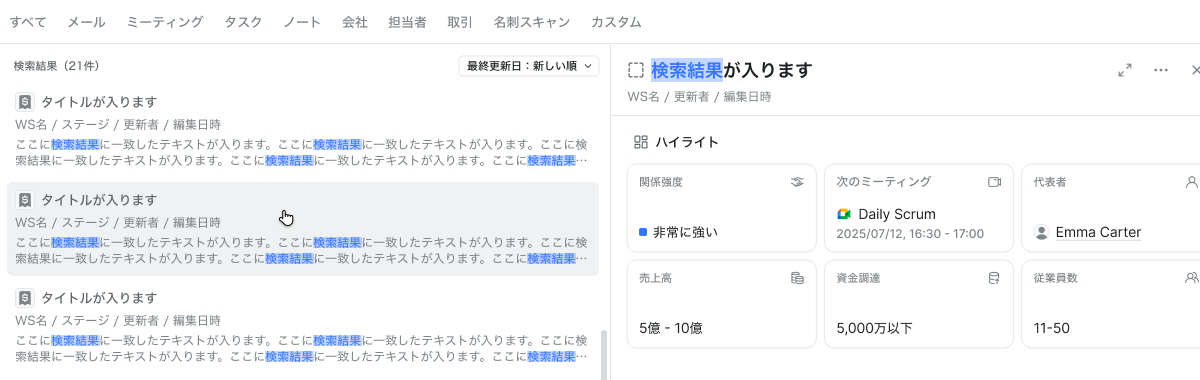
Selecting a result shows a preview on the right. For a company you can see the highlights, activity, and related email and meetings right there — reaching the one you're after without the open-and-go-back loop.
When you can't find it
- Try spelling variants (a company's formal name vs. its short name)
- Deleted data doesn't appear in search