Pre-meeting deal analysis reports
Company info, past touchpoints, likely issues, and candidate questions — compiled automatically before the meeting
Updated 2026.08.13
This page covers the pre-meeting analysis report the AI builds automatically before a sales meeting.
The prep work you used to do by hand — researching the company, digging up past exchanges, organizing what to ask — the AI takes on for you.
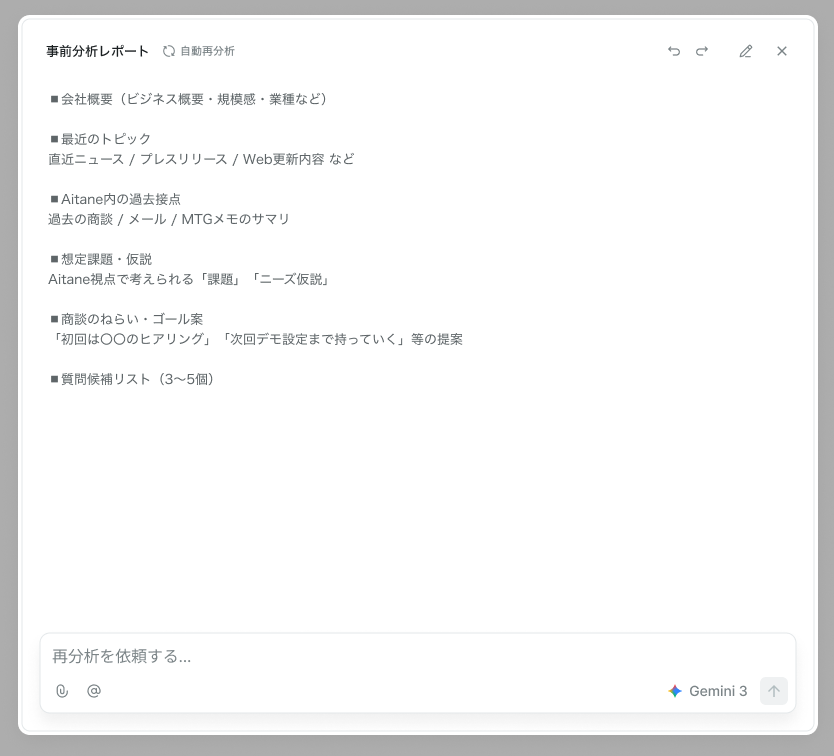
The report's six sections
| Section | Contents |
|---|---|
| Company overview | What the business does, its scale, its industry |
| Recent topics | Latest news, press releases, website updates |
| Past touchpoints | A summary of past deals, emails, and meeting notes in Aitane |
| Likely issues & hypotheses | Plausible problems and needs |
| Meeting aims & goal proposals | The state this meeting should reach |
| Candidate questions | Things worth confirming |
The report cites its sources, so you can check what each statement is based on.
Generate a report
Run Start analysis from a deal or company screen. Generation takes a little while; when done, the generation time is shown.
If information has changed, rebuild it with Re-analyze — useful when a meeting got postponed and you want the latest picture. You can also attach a request in the input box at the bottom, like "go deeper on competitors", and re-analyze with it.
Edit the content
The generated text is editable, and your input is saved automatically.
The AI's analysis is a hypothesis. Where it conflicts with what you actually know, edit it into shape.
Share with your team
Reports are shared within the workspace. Colleagues joining the meeting — or taking it over — see the same content.
The shared account notes field is for things you want the team to know before the meeting. It sits apart from the AI-generated analysis, so you can record on-the-ground judgment like "we should have avoided this topic last time".
When generation fails
- "Failed to start the analysis" — wait a while and Retry
- "No analysis report has been generated yet" — run Start analysis
Pre-meeting analysis reports require the Standard plan or above. They are not available on Free.