What you can do on the meeting detail screen
Meeting info, participants, the recording, and deal links — all on one screen
Updated 2026.08.24
This page covers what's available when you open a meeting.
Everything about the meeting gathers here. Watch the recording while following the transcript, then link it to a deal on the spot — the whole flow fits on one screen.
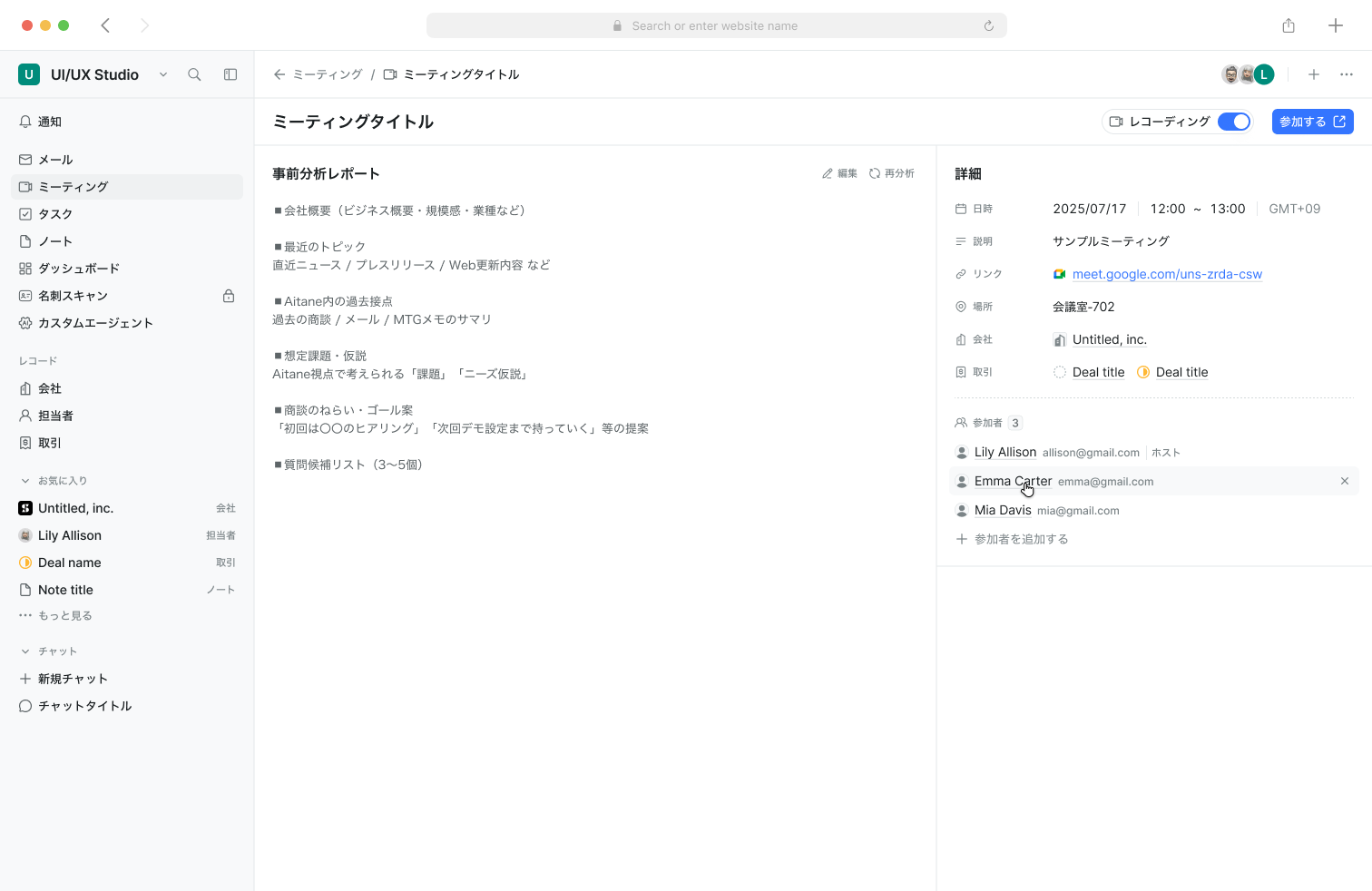
What's displayed
The Details tab on the right side collects the meeting's information.
| Item | Contents |
|---|---|
| Date & time | The date with start and end times, including the time zone |
| Description | The meeting's description |
| Link | The join URL. Select it to open the meeting |
| Location | Where it takes place, such as a meeting room |
| Company | The linked company. Select it to jump to the company |
| Deals | Linked deals. A meeting can be linked to more than one |
| Participants | Attendee names and email addresses. The organizer is labeled Host |
Join the meeting
For upcoming or in-progress meetings, Join opens the meeting directly — no need to hunt through your calendar.
Watch the recording
If a recording exists, it plays right on the screen. Open in new tab plays it in a separate window.
Below the recording you can switch between Minutes, Script, and Speakers. The script shows each speaker's remarks with timestamps, so tracing "where did that come up?" is easy. Export the minutes with Export, or rebuild them with Regenerate.
Link to a deal
Linking a meeting to a deal lets you reach this meeting from the deal's screen.
- Link to an existing deal
- If there isn't one, create it on the spot with Register deal
Creating a follow-up email requires a linked deal. Without one, you'll see "A deal link is required".
When the conditions are met, a deal can also be created automatically from a meeting. If the contact can't be identified, auto-creation is skipped and a notice is shown.
Discuss in comments
Use the Comments tab on the right to discuss the meeting with your team.
- Attach files, @-mention people, and use emoji
- Comments support replies and reactions, grouped into threads
- Guest replies are labeled Guest
Share the link, or delete
Use the … menu at the top right.
- Copy link — copy a link to this meeting to share it
- Delete meeting — deletes the meeting. Deletion cannot be undone